
Bot Legger 0.12.2: your clouds on every device
Bot Legger 0.12.2 keeps track of the cloud computers you've set up: your Bot Legger account now remembers which DigitalOcean logins they belong to, so a new device can find and connect to them right after you sign in.
It also keeps everything current: the desktop app and the terminal look for a new version every hour, and a cloud computer running an older Bot Legger is one click from updated.
What's new
Your clouds, on every device
Settings → Account → Clouds lists the DigitalOcean logins your cloud computers belong to (email, team, and computer names; never a token). Open one to see its computers and their paired devices, remove it, connect this device, or create a cloud computer.
Sign in, then connect
Signing in on a new device lists your cloud logins by email, each with its computers and its own Connect. The terminal has /account clouds too.
Updates while you work
The desktop app and the terminal check for a new version every hour while open, not only at launch, so a release shows up without restarting.
One-click cloud updates
When you connect to a cloud computer running an older Bot Legger, a banner offers Update; the terminal points you at /cloud update.
Accounts on a cloud computer
Connect Google, Microsoft, and other connected apps to a cloud computer from Settings → Plugins or /plugins connect: you sign in in your browser here and the cloud computer's bots use the account. Obsidian and Logseq folders link there too.
A bolder icon
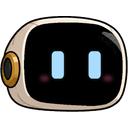
The app icon has a black background and a larger robot head that fills nearly the whole tile.
Also in this release
- The Privacy Policy and Terms of Use now say we tell you before a material change takes effect, instead of promising 30 days' notice; the app shows the updated documents once.
- Settings → General → Updates marks each linked cloud computer with "(cloud)".
- Gmail, Google Drive, and Google Calendar accounts linked through Composio are named by their Google address.
Try Bot Legger
A free app for Mac, Windows, Linux, Android, and iPhone. Use any AI model, and keep your data on your own devices.